Document workspace

Start from a polished invoice, quotation, or contract in the marketplace, and save the ones you reuse.

© 2026 DokimentsA digital product ofvish.studio

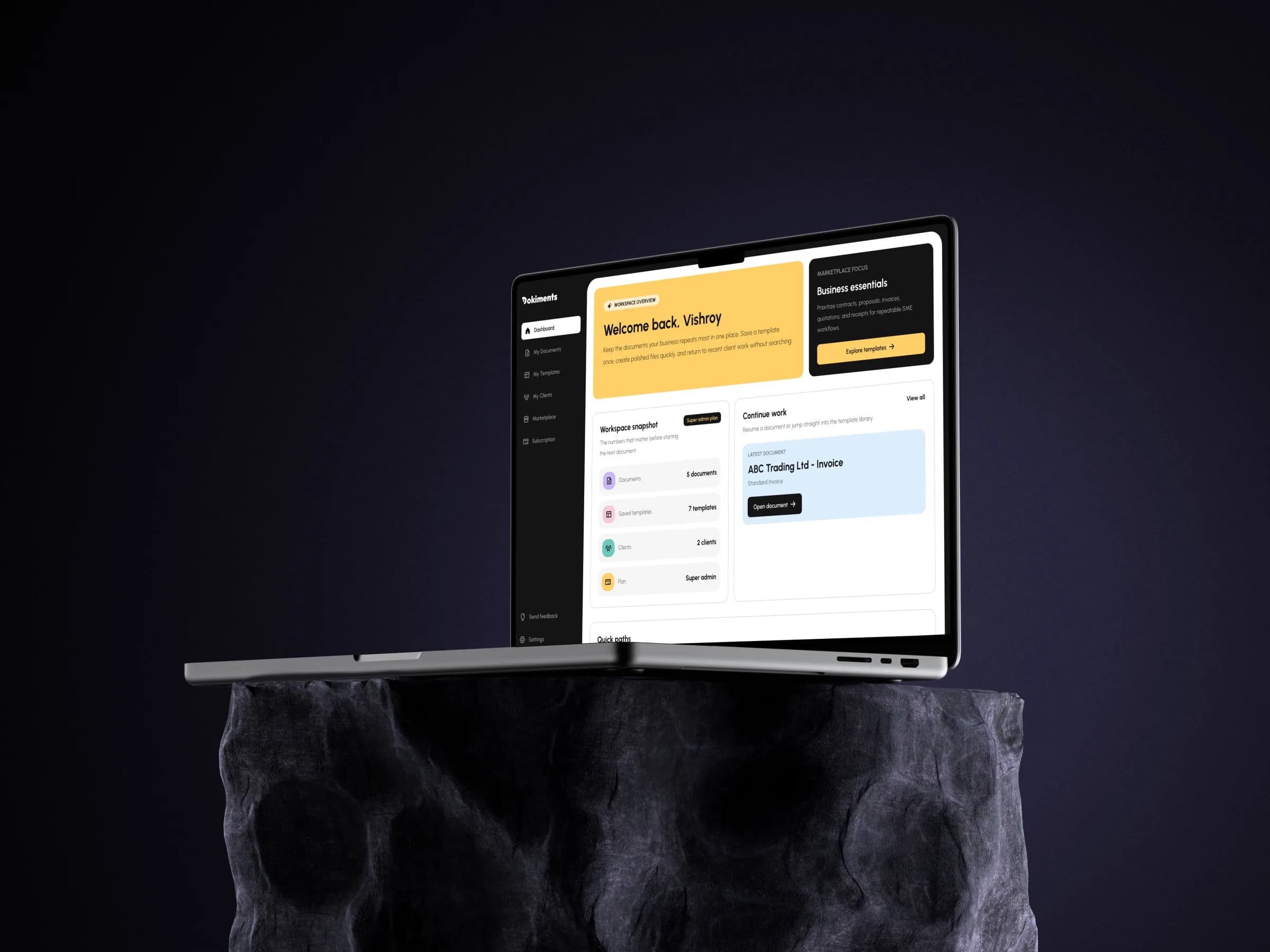
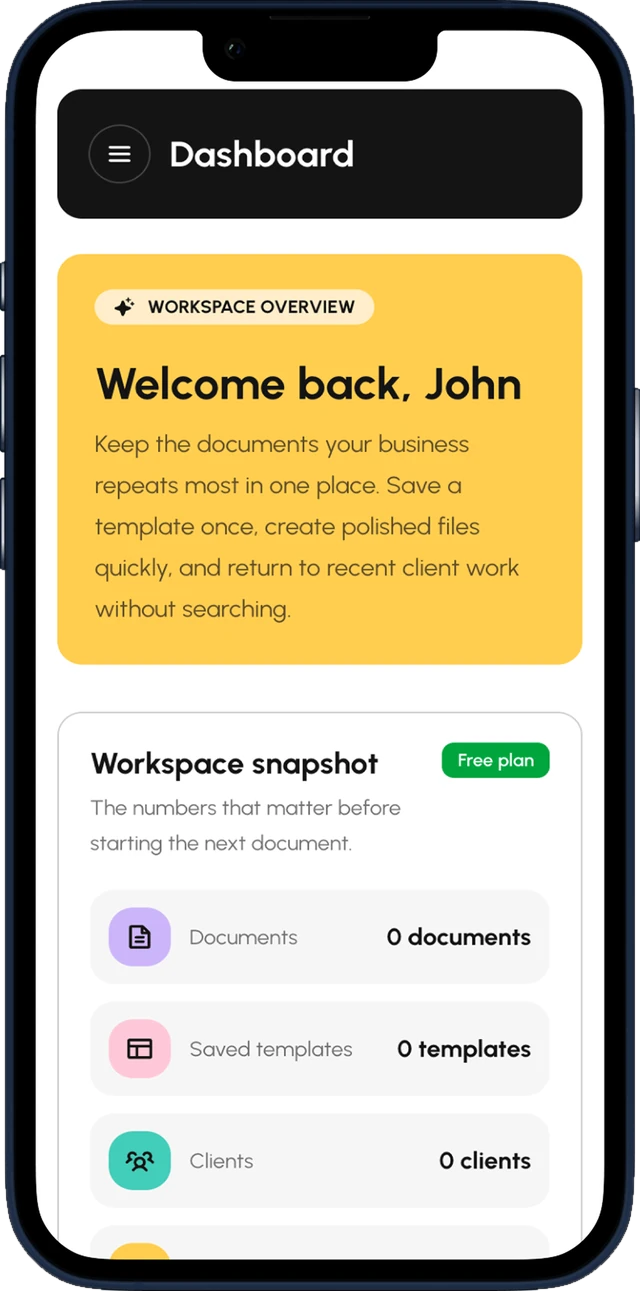
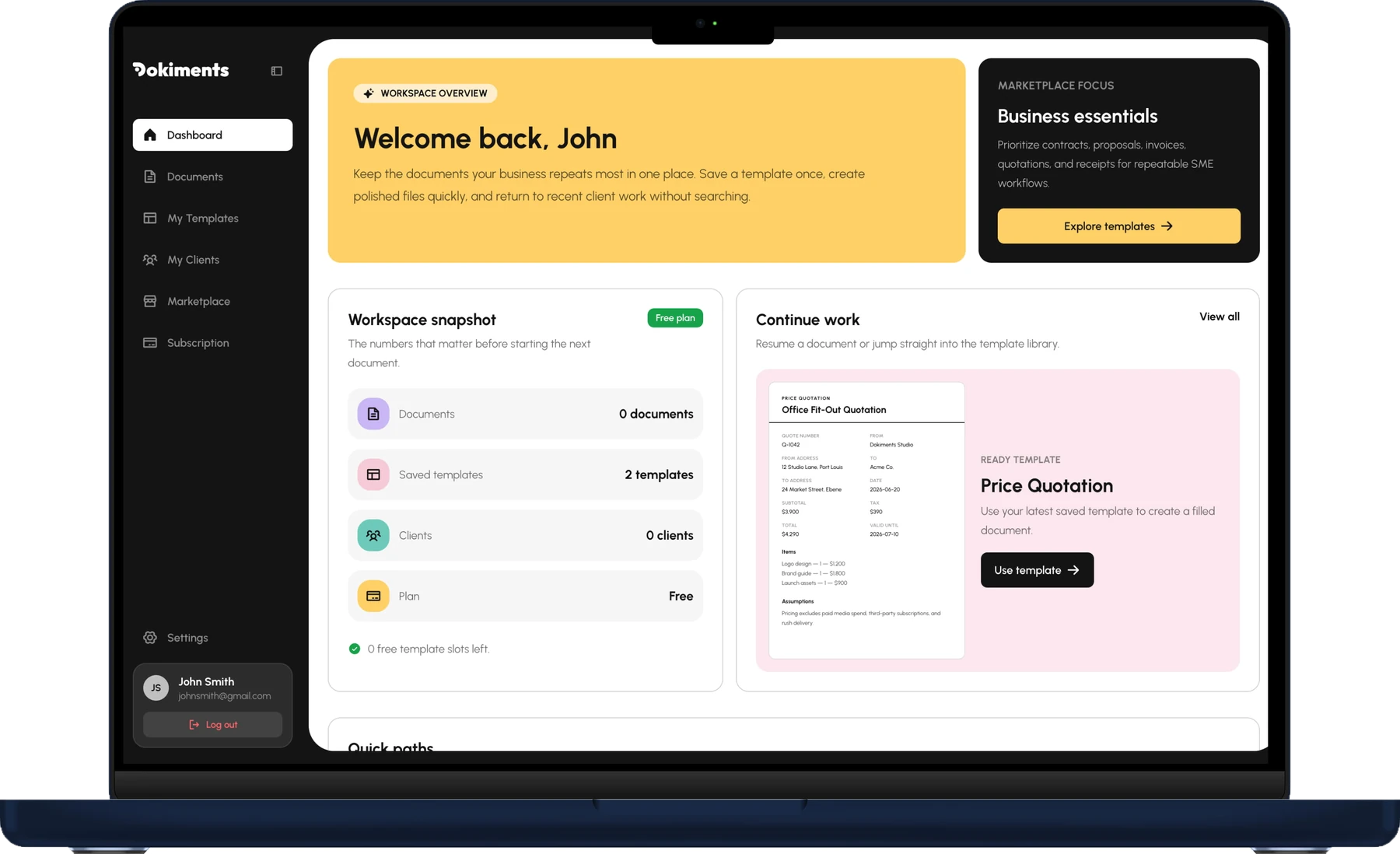
Dokiments workspace displayed on a laptopDokiments dashboard displayed on a mobile phone

From sign-up to sent in four steps.

The website introduces the product. The signed-in app does the real work, on desktop, tablet, and mobile.

  1. Step 1: Sign up or sign in

    Create an account so saved templates and documents stay attached to your workspace.

  2. Step 2: Save templates

    Browse the marketplace and add the templates your business will reuse.

  3. Step 3: Create documents

    Choose from My Templates, fill the form fields, and preview the document instantly.

  4. Step 4: Manage the workspace

    Return to the dashboard to see your documents, saved templates, clients, and plan in one place.

56 templates, and counting.

Invoice

Classic

Invoice

Modern

Invoice

Brutalist

Invoice

Minimalist

Quotation

Classic

Quotation

Modern

Quotation

Brutalist

Quotation

Minimalist

Contract

Classic

Contract

Modern

Contract

Brutalist

Contract

Minimalist

Your whole document workspace, in one place.

Browse the marketplace, save the templates you trust, prefill your clients, and create documents from the same account.

  • Saved templates, recent documents, and your plan status all live on one home screen, so you always know where to pick up.

    Create your free account
Dokiments dashboard showing the workspace snapshot

Sign in once. Keep everything.

One continuous workflow

Templates move from marketplace preview to saved library to finished document without changing context.

  • Marketplace
  • My Templates
  • Documents

Access follows the account

Your plan decides which template styles you can use and how many you can save, so everything stays in step with your account.

Export as a PDF

Finish a document and download it as a PDF, ready to send to your client.

Clients close at hand

Save client details once, then pick them when you create a document.

Installs like an app

Add Dokiments to your home screen and use the same workspace on desktop, tablet, or mobile.

Built for everyone who sends paperwork.

Dokiments is strongest when a document gets created more than once: save the best template, fill the right fields, and keep the finished work with your account.

FreelancersInvoices + quotes

Turn quotes, proposals, and invoices around faster without leaving details scattered across files.

Browse templates

Small businessesContracts + NDAs

Keep contracts, NDAs, and client documents consistent by reusing the same saved templates every time.

Browse templates

StudiosProposals

Give clients polished documents without rebuilding the same structure for every engagement.

Browse templates

OperatorsOperations

Create operational documents from guided fields so repeat admin work stays predictable.

Browse templates

Ready when you are

Already know which template you need? Sign in and keep moving.

Your saved templates, account role, and document drafts live behind sign-in, so you can pick up exactly where you left off.

My Clients

Your clients, already filled in.

Repeat clients should not mean repeat typing. Add them to your workspace once and every invoice, quotation, or contract starts already addressed.

  • Save a client once

    Keep each client's name, phone, email, address, and BRN in My Clients, ready for the next document.

  • Prefill in one click

    Pick the client while creating a document and their details fill the recipient section for you.

  • Send it without retyping

    Export a polished PDF that already carries the right contact details, ready to send to your client.

Start from real templates, not a blank page.

Preview the same invoices, contracts, quotations, and proposals available inside the dashboard. Save one after signing in, or browse the full marketplace first.

Template styles

One document. Every style.

Every document type comes in a range of styles. Pick the look that fits your brand before you save it.

Invoice

Monthly Retainer Invoice

From

Dokiments Studio

12 Studio Lane, Port Louis

To

Acme Co.

+230 5 987 6543

accounts@acme.co

24 Market Street, Ebene

BRN: C09876543

Invoice number
INV-0042
Issue date
2026-06-20
Due date
2026-07-04

Items

  • Consulting — 10h — $1,500
  • Design — 5h — $600
  • Prototype QA — 3h — $450

Subtotal

$2,550

Tax

$255

Total

$2,805

Payment instructions

Bank transfer to Dokiments Studio. Include invoice number as reference.
Customer stories

A more grounded way to begin important documents.

From solo consultants to small studios, Dokiments helps people put their repeat business documents on a clearer path.

The workspace makes repeat document work feel far less scattered. I can return to the right template and get a polished draft moving quickly.
Maya ChenIndependent consultant

FAQ

Questions, answered.

Dokiments is built for repeat document work. Sign in once, save the templates that fit, and come back to the same workspace when the next document is due.

What is Dokiments?

Dokiments is a workspace for creating professional business documents, like invoices, quotations and contracts. Pick a template, add your details, and download a polished PDF.

Which document types does Dokiments support?

Dokiments has 14 document types, including invoices, quotations, contracts, proposals, NDAs, and more.

How do I create my first document?

Sign in, open the Marketplace and save a template. Then go to My Documents, choose New document, pick your saved template and fill in the details. Choose Download PDF when it looks right.

What is the difference between a template and a document?

A template is a reusable design you save to your library. A document is a copy of it with your own details filled in. One template can create as many documents as you need.

What template styles are available?

Templates come in several visual styles, from clean and traditional to bold and minimal. Preview any template in the Marketplace to see it filled with example content. New styles are added over time.

Can I save my clients' details?

Yes. Add a client once in My Clients, then pick them when creating a document and their details are filled in for you.

Can I download my document?

Yes. Download it as an A4 PDF containing only the document, ready to send to your client.

Can I edit or delete a document later?

Yes. You can edit or delete any of your documents from My Documents.

Is Dokiments free to start?

Yes, you can start for free. Plans and what each includes are shown under Subscription.

Can I use Dokiments on my phone or offline?

Yes. Dokiments can be installed to your home screen like an app, and it keeps working when your connection drops.

How is my data handled?

We don't sell your personal information. Analytics and advertising cookies only run if you accept them, and you can change your choice any time through Cookie settings in the footer.